Aspect Ratio
ar
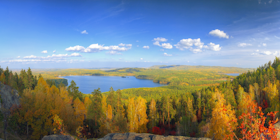
Resizes and crops the original image to match a specified aspect ratio. This parameter will work only when fit=crop, fit=fill, or fit=fillmax is set. Values for ar are expressed as W:H.
-
Default: no aspect ratio set. In crop mode, the image is resized to match specified
wandhdimensions exactly, discarding image data as needed. If only one dimension is specified, the other dimension is calculated automatically, preserving the original aspect ratio. -
Aspect ratio set.
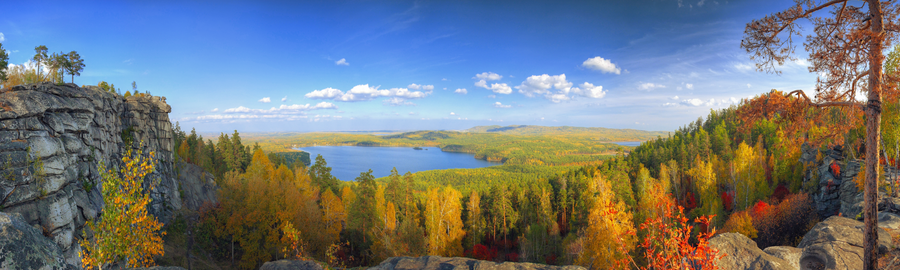
ar=9:1&fit=crop: A 900×270 image cropped using the aspect ratio of 9:1 results in an output image sized 900×100. (Note the same result can be achieved withw=900&h=100&fit=crop.) By default, center crop is used; see crop mode for more on directional cropping.
ar=0.85:1&fit=crop: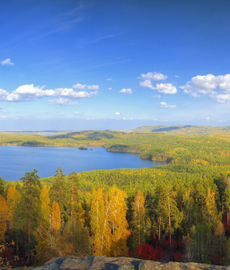
An image generated with the
fit=filland thearparameter results in an image frame that is based on the specified aspect ratio and the dimensions of the original image. This acts as the maximum dimension the given image can fill. The original image is sized to fill this frame as much as possible (depending on whether the width or height of the image maxes out the frame first) while maintaining it’s original aspect ratio.In the example below, solid orange is used to fill the transparent, unused space of the image frame. For more information on fill options, please see our documentation on
fillandfill-color.ar=9:3&fit=fill&fill=solid&fill-color=orange: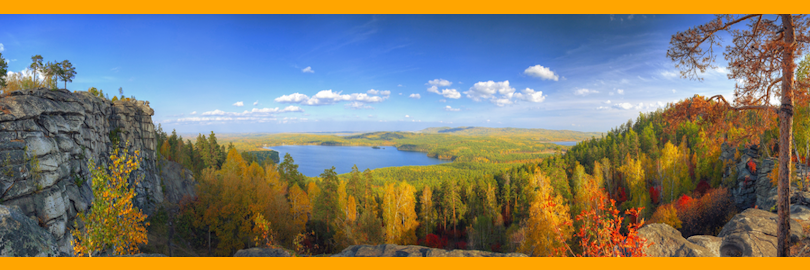
With
fit=fillmax, the image is never enlarged, soarworks the other way around: the canvas is the smallest box with the specified aspect ratio that contains the image, and the image is placed on it at its own size. Whenwandhare both set, the image is first fitted inside them, and the canvas is the smallest box with that aspect ratio that contains the fitted image. Addingfill-max=sourcesizes the canvas aroundw×hinstead, capped at the source image’s box, so it can produce a larger canvas.ar=1:1&fit=fillmax&fill=solid&fill-color=orange: A 900×270 image results in a 900×900 image, with the original image unscaled.
-
Aspect ratio and one dimension set.
w=280&ar=2:1&fit=crop: Using the aspect ratio of 2:1 and the specified width of 280 results in an output image sized 280×140. Thehdimension of 140 is automatically calculated.